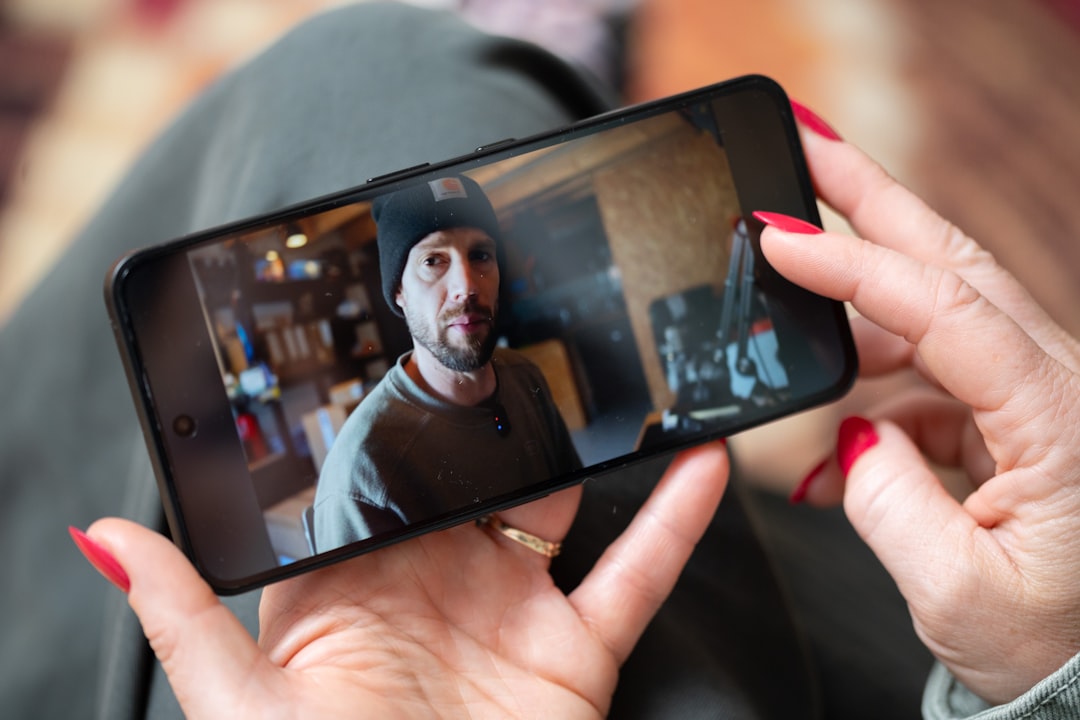
You will collect more video testimonials when the request takes one click, not a customer’s afternoon. Send one branded link, remove the blank-page problem, and measure whether your reply rate doubles.
That approach matters because happy customers rarely volunteer testimonials at the exact moment you need them. They need a clear prompt, a low-friction recording process, and confidence that their words will be used responsibly.
Ask at the moment of success and capture the useful detail
Timing beats persuasion. Ask after a customer reaches a clear outcome, such as finishing your course, receiving a repeat order, publishing an episode, or hitting a measurable milestone.
Do not ask, “Would you leave us a testimonial?” That question creates work before showing the next step. Ask for a short story instead.
Try this message:
You reached [specific result]. Could you record a 60-second video about what changed? Use this link. No script or editing needed.
The phrase “no script or editing needed” removes two common objections. Customers do not need to write polished copy. They also do not need to learn video software.
Research supports the value of asking directly. The BrightLocal 2025 review survey found that 65% of consumers wrote a review after being asked. The survey also found that 78% had received a review request.
The lesson is simple: asking is not begging when the request is relevant and easy. You are giving a satisfied customer a fast way to share an experience that may help someone else.
Send one link and remove the setup tax
Every extra step loses replies. A customer should not need to create an account, download an app, find a webcam, or email a large video file.
Use one mobile-friendly collection link. Let the customer choose video or text. Keep the form branded, but keep the decision small.
A practical testimonial form needs four elements:
- A short explanation of the time required.
- One primary recording button.
- Two or three prompts that produce specific answers.
- Permission language covering publication and editing.
Webmonials is built around this workflow. You can create a branded form for video and text, then share one link through email, SMS, direct messages, or your post-purchase flow.
Skip the long survey. Qualtrics recommends keeping digital surveys short and setting accurate expectations about completion time. The same principle applies to video testimonials.
If the request looks like a five-minute interview, many customers will postpone it. If it looks like a 60-second voice note, more customers will start.
Use prompts that create a story, not a compliment
“Tell us what you think” produces hesitation. Specific prompts produce usable footage.
Give customers three prompts, then let them answer one or all three:
- What problem were you trying to solve before using us?
- What changed after you used the product or service?
- What would you tell someone who is considering it now?
These questions create a before, after, and recommendation structure. That structure works for a course creator, Shopify merchant, podcaster, or community operator.
Ask for an example whenever possible. “What changed?” can produce “It saved me time.” “How much time did it save?” can produce “About three hours each week.”
Specificity increases credibility. It also gives you stronger material for landing pages, product pages, email campaigns, and social clips.
Do this: invite natural language and imperfect delivery. Skip this: asking customers to read a paragraph written by your marketing team.
Polished scripts can sound like ads. Real customers pause, qualify their claims, and explain context. Those details often make the testimonial more believable.
Auto-transcribe every video and turn footage into searchable proof
A video testimonial has two jobs. It should build trust visually, and it should provide words your team can find, edit, quote, and reuse.
Automatic transcription handles the second job. Webmonials transcribes collected videos, allowing you to search the testimonial library for phrases, outcomes, objections, and product terms.
That changes the workflow from “watch every video again” to “search for shipping, onboarding, confidence, or saved time.” You can tag strong testimonials by audience, product, sentiment, or use case.
Transcripts also improve accessibility. Add captions before publishing video on landing pages or social feeds. The W3C guidance on captions explains why synchronized text helps people access audio content.
Use transcripts as a discovery layer, not a replacement for review. Confirm every quote against the original recording. Remove filler only when your permission terms allow editing, and preserve the customer’s meaning.
A searchable library compounds over time. Your next sales page should not depend on whoever remembers a good customer quote from six months ago.
Double replies by testing effort, timing, and channel
“2x your reply rate” should be a test target, not a universal promise. Your baseline depends on audience trust, customer satisfaction, channel, timing, and request quality.
Start with a clean baseline. Track sent requests, opened requests, started recordings, completed testimonials, and usable approvals. Define reply rate clearly as completed testimonials divided by delivered requests.
Then test one variable at a time:
- One click versus a multi-step form.
- A 60-second request versus an open-ended request.
- Email versus SMS.
- A request immediately after success versus seven days later.
- Three prompts versus one vague question.
- Video-first messaging versus video-or-text choice.
For example, send 100 requests using your current process. Send 100 comparable requests through a one-link Webmonials form. If completions rise from 12 to 24, you have doubled the reply rate in that test.
Do not claim causation from one small batch. Repeat the test across two or three customer cohorts. Record delivery and completion rates separately, because a weak email subject line can hide a strong collection form.
Mobile matters. Survicate’s 2025 benchmark report found that mobile surveys produced a median response rate of 18.69%. Its data also showed a median completion time of 42 seconds.
Your operational target should be obvious: make the first action fast enough to complete on a phone, then explain exactly what happens next.
Follow up once without sounding desperate
Most customers do not reject your request. They forget it. A single useful follow-up recovers attention without creating pressure.
Send the first request after the customer’s success moment. Follow up three days later with a shorter message:
Quick reminder. A 60-second video about your result would help other [audience] members decide. Record here: [link]
If there is no response, stop after the second request unless the customer has an active relationship with your team. Repeated reminders damage goodwill and teach customers to ignore future messages.
Use the follow-up to reduce uncertainty. Mention the recording length, accepted format, and where the testimonial may appear. Tell customers they can choose text instead.
Never imply that a testimonial is required for support, access, refunds, or future service. The request must remain voluntary.
Offer recognition, not a biased review bargain
Do not pay customers for positive sentiment. That shortcut creates legal and platform risk, while weakening trust in the result.
The Federal Trade Commission’s 2024 final rule prohibits compensation or incentives conditioned on a particular review sentiment. The rule also addresses fake testimonials, undisclosed insider reviews, and review suppression.
Google’s Maps policy prohibits incentives such as discounts or free goods in exchange for reviews. That policy applies to reviews posted on Google, even when the request starts in your own email flow.
You can still thank customers for their time. Offer a public thank-you, feature selected stories with permission, or invite contributors to a customer showcase. Keep the invitation open to honest experiences.
For owned testimonials, ask for consent before publishing the person’s name, image, company, or video. Explain whether you may trim the recording, add captions, create clips, or use it in paid advertising.
Trust grows when customers know how their words will travel.
Organize proof once and publish it everywhere
Collection is only half the job. A testimonial hidden in an inbox cannot improve conversion.
Use a central library with tags for product, customer type, outcome, rating, sentiment, and approval status. Webmonials can also import praise from more than 30 sources, including marketplaces, review sites, and social platforms.
That lets you combine fresh video with existing written proof. You can upload older testimonials through CSV, then search and curate them alongside new submissions.
Publishing should match the buying decision. Add star ratings and written reviews to product and checkout pages. Use video near high-friction claims. Place a wall of love on a creator homepage. Use pop-ups when visitors need reassurance without leaving the page.
Social-ready images help you reuse strong quotes without rebuilding designs manually. Embeddable widgets help small teams publish proof without waiting for a developer.
The Northwestern Medill Spiegel Research Center found that reviews can materially affect purchase likelihood. Its research reported a 190% conversion increase for lower-priced products and 380% for higher-priced products when reviews were displayed.
Those figures come from older research and should not become your forecast. They do show why testimonial placement deserves measurement, not guesswork.
Build the request into your existing automation
Your testimonial system should run after the customer already receives a useful message. Add the request to post-purchase email, course completion, renewal, onboarding success, or support-resolution workflows.
Use your CRM to segment the audience. A first-time buyer may need a product-use prompt. A long-term subscriber may answer a question about progress or trust. A wholesale customer may provide evidence about reliability and operations.
Webmonials supports API, webhook, CRM, and email workflow connections. That allows a completed testimonial to trigger internal review, tagging, approval, or publishing steps.
Keep ownership clear. Someone should review new submissions within two business days. Someone should also check consent, spelling, claims, and context before publication.
Measure the full funnel monthly:
- Delivery rate.
- Open or click rate.
- Recording start rate.
- Completion rate.
- Approval rate.
- Published testimonial count.
- Conversion rate by placement.
A higher collection rate is useful only if the resulting proof reaches buyers. A lower volume of specific, approved stories can outperform a large pile of vague praise.
Make the next request smaller and more useful
Your best collection system does not pressure customers. It respects their time, asks at the right moment, and makes contribution simple.
Send one link. Ask for 60 seconds. Provide concrete prompts. Auto-transcribe the result. Tag it immediately. Publish it where buyers hesitate, then test the lift.
Start with 100 comparable requests and a clear baseline. Your goal is not to manufacture perfect praise. Your goal is to make honest customer evidence easy to share and easy to use.
That is how you pursue a 2x reply rate without begging, while building a durable home for social proof.


